STAMM for Operators
Operators
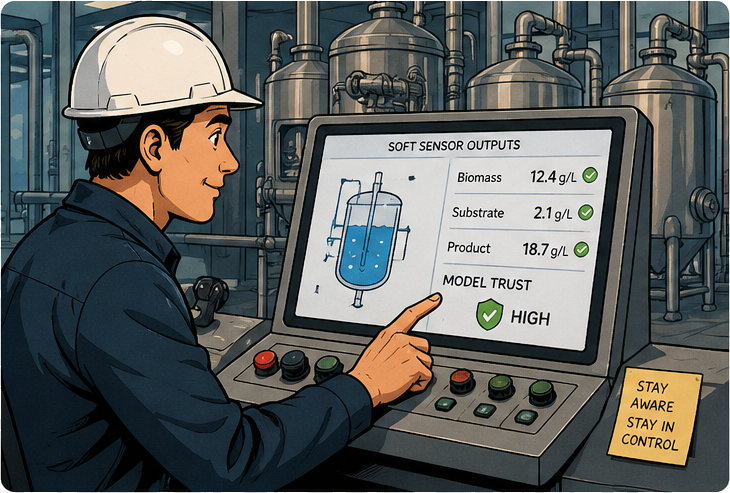
Frontline users who run the process in real time. They rely on soft sensor outputs for day-to-day decisions and need clear, immediate indicators of trust and stability — not statistics, but "is this number safe to act on right now?"
Why STAMM matters for you
A soft sensor on a control screen is just another reading — until the process changes and it quietly becomes wrong. STAMM is built so that operators see the difference between "the model is comfortable" and "the model is guessing" without having to read a research paper.
Each soft sensor shows a clear status — OK, warning, attention required — alongside its value.
Watch hidden variables next to physical sensors so deviations are visible early, not after a batch is lost.
Annotate unusual events directly in the dashboard — the next shift and the modeling team get the context.
Your shift with STAMM
Start the shift — read the room
Open the Dashboard. At a glance, see which soft sensors are running, their current trust state, and the highlights from the previous shift.
Watch live process data
See physical sensors, soft sensors, and operating-regime indicators side by side in the Data Source view. STAMM keeps synchronized time series so trends are easy to read at a glance.
Notice when something is off
STAMM raises a clear, contextual signal when a soft sensor's trust drops — not a flood of alarms, but a calm "this reading needs a second look." Decide whether to keep using the value, fall back to a measurement, or escalate.
Annotate & hand off
Tag unusual events directly on the timeline — feed change, controller tweak, manual sample taken. Those notes travel with the data so the modeling and MLOps teams know exactly what happened, and so does the next shift.
Close the loop
When a model is updated after a maintenance signal, the dashboard reflects the new version without changing your workflow. The reading is still the same reading — just a model you can trust again.
What you bring to STAMM
You bring real-world context — "that spike was a manual sample," "that drift started when we switched substrate batches." STAMM is designed to receive that knowledge and make it part of the model's history, so the next time something looks odd, the system has more than just numbers to lean on.